Your First Prompt
Five small steps. A copy-paste example for each. By the end, you'll have used AI to do something useful for you in real life.
A prompt is just a message you send to an AI. That’s it. There’s no special syntax. There’s no magic word. You’re sending a text — to a computer instead of a person.
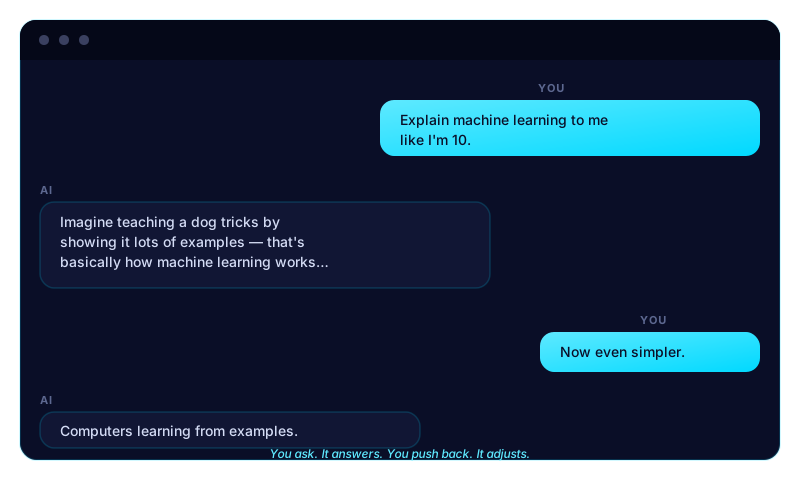
But like with people, how you ask changes the answer you get. This lesson teaches you the smallest possible version of “how to ask well.” Five steps. Each one takes about a minute.
Step 1 — Open a chat
Go to chat.openai.com (ChatGPT) or claude.ai (Claude) or gemini.google.com (Gemini). Pick one. They’re all free.
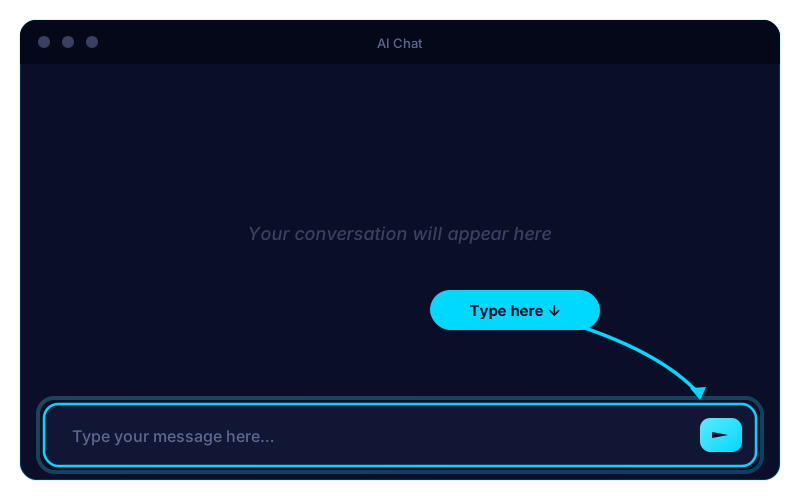
You’ll see an empty box at the bottom of the screen. That’s where your prompt goes. The first message you send is the first prompt of a conversation.
Step 2 — Tell the AI who it should be
The first sentence sets the tone for the whole conversation. Be specific about who you want it to act like. Specific is better than fancy.
You are a patient tutor for someone new to AI. Use simple words. No jargon.
Why this works: AI mimics the role you give it. If you say “you are an expert lawyer,” it writes more carefully. If you say “you are my supportive friend,” it gets warmer. The role is a steering wheel.
Step 3 — Ask one clear thing
Don’t ask three questions at once. Ask one. Get the answer. Then ask the next one. AI handles single, clear asks much better than tangled ones.
Explain how AI like you actually works, in 5 sentences a 10-year-old could understand.
Bad version (don’t do this): “Tell me about AI and how it works and what’s the difference between machine learning and deep learning and which one is better and how do I use it?” You’ll get a generic essay nobody wanted.
Step 4 — Push back if it’s not great
This is the part most beginners miss. The first answer is rarely the best answer. Reply to the AI like you’d reply to a person who almost got it right.
Try any of these:
- “Shorter.”
- “More casual.”
- “Use a metaphor about cooking.”
- “Now write it for someone who’s intimidated by tech.”
- “Give me 3 versions to choose from.”
Watch what happens — it rewrites. That’s the whole game. You’re not trying to write the perfect first prompt. You’re having a conversation that converges on the answer.
Step 5 — Try it again with something real
Now do it with something from your life. A tricky email. A recipe idea. A homework question. A confusing form. A topic you want to learn. Anything.
Here’s a copy-paste starter you can adapt:
You are a [helpful friend / tutor / writing coach / planner].
I need help with: [describe what you need].
Constraints: [keep it under 200 words / use bullet points / don’t use jargon / make it sound like me].
Here’s what I have so far: [paste anything you’ve already written].
Send it. Read the response. Adjust. Send again. Repeat until you have what you need.
What if the answer feels wrong?
Three things to try, in this order:
- Be more specific. “Make it shorter” → “Cut it to 50 words and remove all the buzzwords.”
- Tell it what’s wrong. “This sounds too corporate. Make it sound like a normal human texting a friend.”
- Start over. Open a new chat. Sometimes the conversation gets stuck — fresh start beats fighting with it.
Try this challenge (5 minutes)
Pick one real thing from your life today and use AI for it:
- Reply to a tough email you’ve been avoiding.
- Draft a tricky text message.
- Plan dinner for the week using what’s in your fridge.
- Summarize a long article you didn’t have time to read.
- Explain something confusing (a contract, a medical term, a tax form).
You’ll feel the difference between reading about AI and having used AI. The next lesson assumes you’ve felt that.
Heads up: Your AI’s exact words will be different from the examples above. That’s normal — AI customizes responses to every conversation. The shape of what you get back is what matters, not the wording.
Where to go next
Get the next lesson